Handle the replies your agent receives
Sign in to try itWhat it's for
Replies to your agent's campaigns arrive in its Inbox. You read them, answer them and categorize them without leaving the Agent space.
Before you start
- A launched agent campaign: until the agent has sent something, the screen stays empty. Review and launch the agent's campaigns
Steps
In the agent menu, open Inbox. The list only shows conversations from your agent's campaigns.
Click the Replied filter to see only the conversations where the prospect replied.
Open a conversation to read the whole exchange and reply.
Click Categorize the reply, pick the category in Choose a category, then click Save.
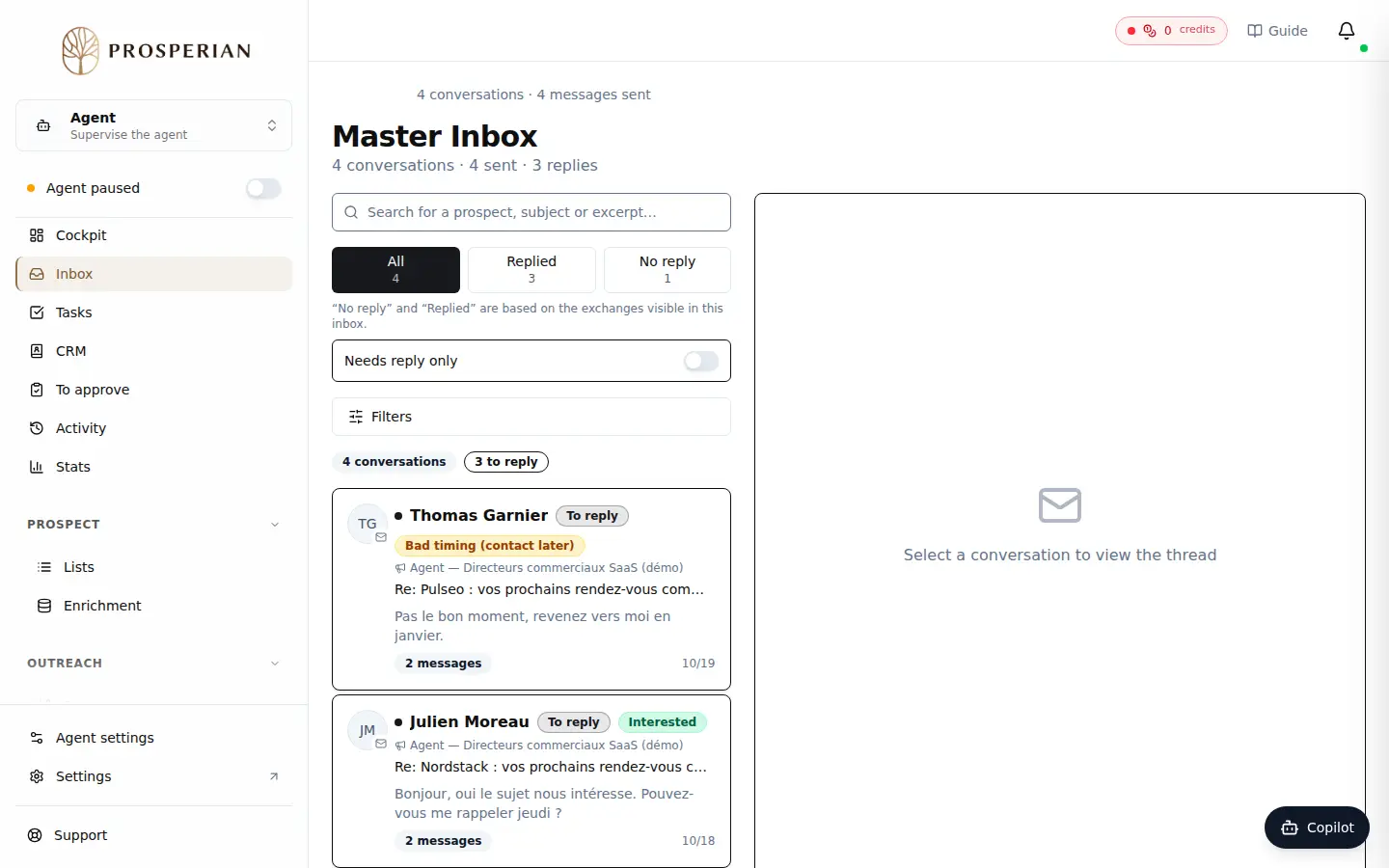
In the agent menu, open Inbox. The list only shows conversations from your agent's campaigns.
Step 1 of 4
Demo, no action on your account
Expected result
The conversation shows its category. The prospect moves forward in the agent's CRM, and the reply counts in its statistics.