First steps in Prosperian
Sign in to try itWhat it's for
Find, in two minutes, the parts of the app you will use every day: the space you are in, the menu, your credits, help and notifications.
Before you start
- Be signed in to Prosperian. Open Prosperian
Steps
The space switcher, at the top of the rail, shows whether you are in the Agent or the Platform, and lets you switch.
The left rail groups the screens of the space: lists, sequences, Inbox, calls, statistics.
The credits counter, top right, shows your balance. Click it for details; an administrator can top up, a user can ask for credits.
The bell shows your notifications: replies, tasks, campaign alerts.
The Guide button opens this guide on the tutorial for the screen you are on.
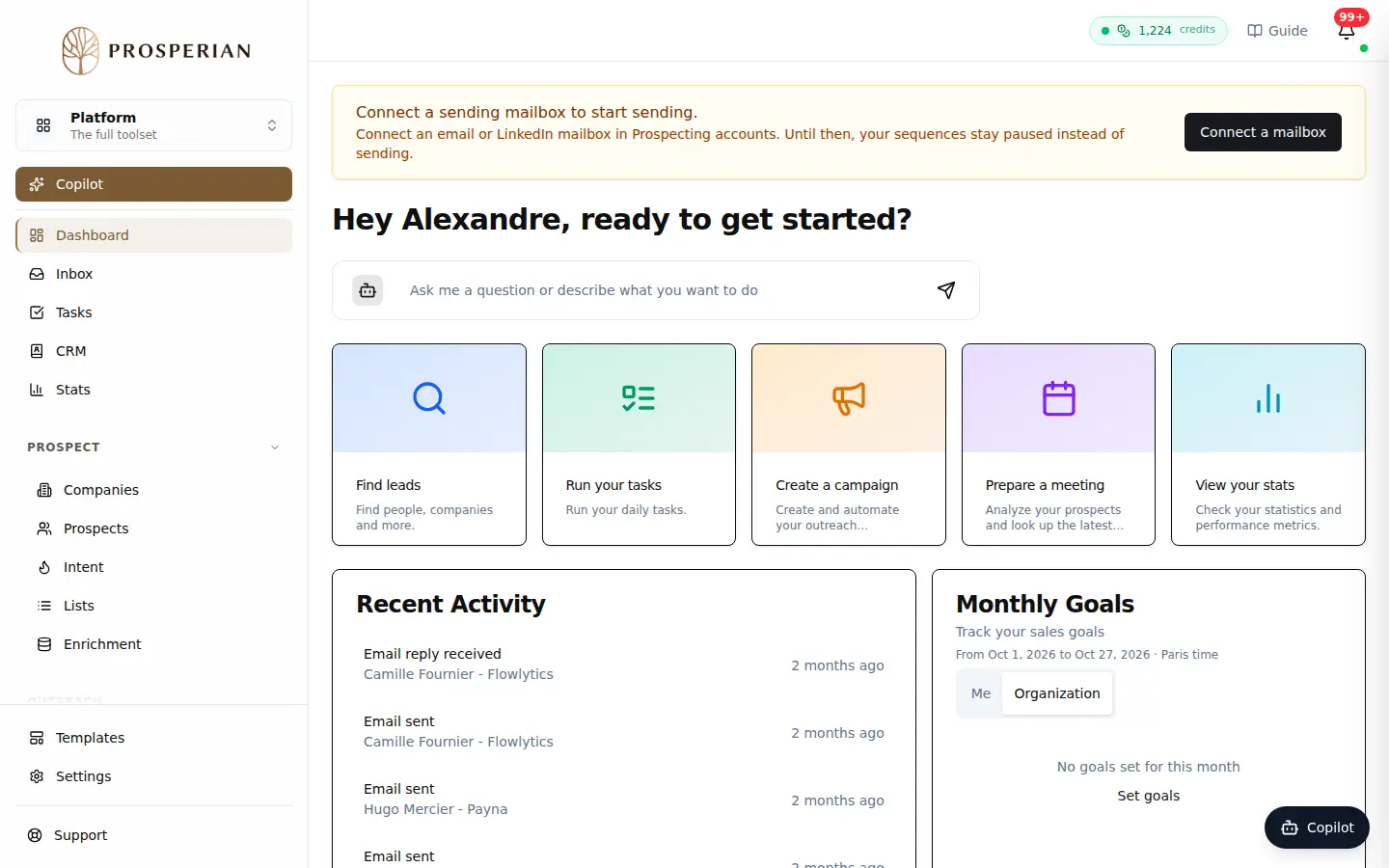
The space switcher, at the top of the rail, shows whether you are in the Agent or the Platform, and lets you switch.
Expected result
You find your way around the app and know where to get help on every screen.