Exclude contacts and companies with the blacklist
Sign in to try itWhat it's for
Never prospect your customers, your partners or a company that asked not to be contacted again. The blacklist applies to the whole organization.
Before you start
- Be an administrator: this screen is not visible to users.
Steps
Open Settings ▸ Campaigns and scroll down to Prospecting blacklist.
Enter a domain (for example example.com) and click Add a domain: every email address of that company is blocked.
Paste the company's LinkedIn page URL and click Add a LinkedIn page to block its employees too. For a phone number, use Add a number.
For a long list, click Download the CSV template, fill it in, then choose the file in the field right next to it.
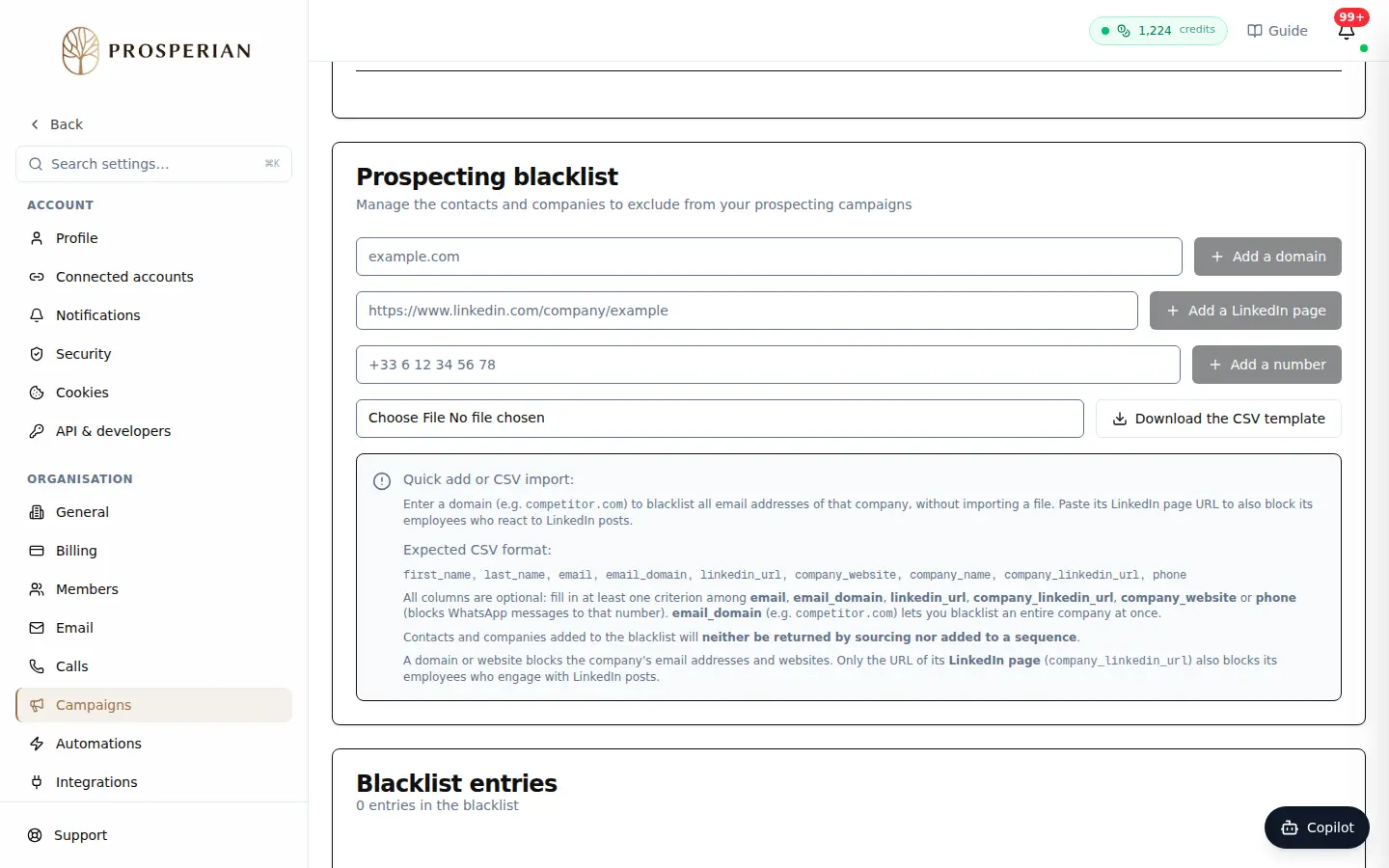
Open Settings ▸ Campaigns and scroll down to Prospecting blacklist.
Expected result
The entries appear in Blacklist entries. These contacts and companies are no longer returned by sourcing, nor added to a sequence.