Set your profile, workspace and language
Sign in to try itWhat it's for
Your name and phone number appear on your campaigns and within your organization. You also choose the workspace shown when you sign in and the interface language.
Before you start
- Be signed in to Prosperian: each member sets their own profile, without going through the administrator.
Steps
Open Settings ▸ Profile: the My profile page appears.
In Identity, fill in your First name, Last name and Phone.
Click Save changes.
In Default workspace, choose Agent or Platform: this is the workspace shown when you sign in. The choice is saved right away.
In Language, choose the Interface language. It also applies to your agent's new campaigns; campaigns already launched keep their language.
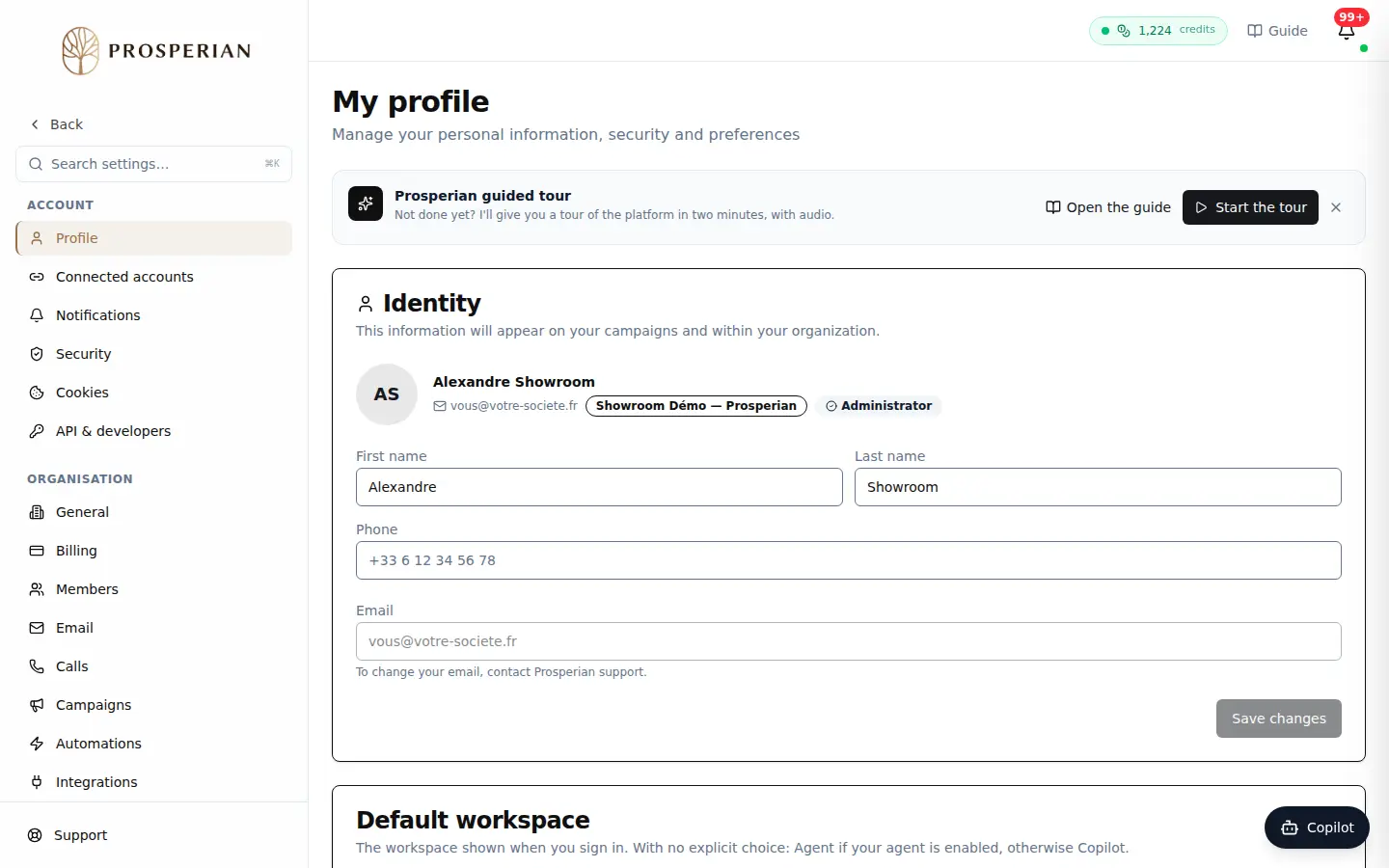
Open Settings ▸ Profile: the My profile page appears.
Step 1 of 5
Demo, no action on your account
Expected result
A message confirms each save. Your email cannot be changed here: to change it, contact Prosperian support.