Share your booking page
Sign in to try itWhat it's for
Your prospects book a free slot in your calendar themselves, from a link you share in your messages.
Before you start
- A linked calendar, so your slots take your existing meetings into account. Otherwise, a banner at the top of the page offers to connect an account. Connect your mailbox and LinkedIn
Steps
Open Meetings ▸ Booking. In the Meeting types tab, click New type.
Fill in the Title, the Duration (min) and the Location type, then click Create.
Open the Availability tab: add your slots day by day with Add, then click Save.
Back in Meeting types, click the Copy the link icon of a type to get its booking link, then paste it into your messages.
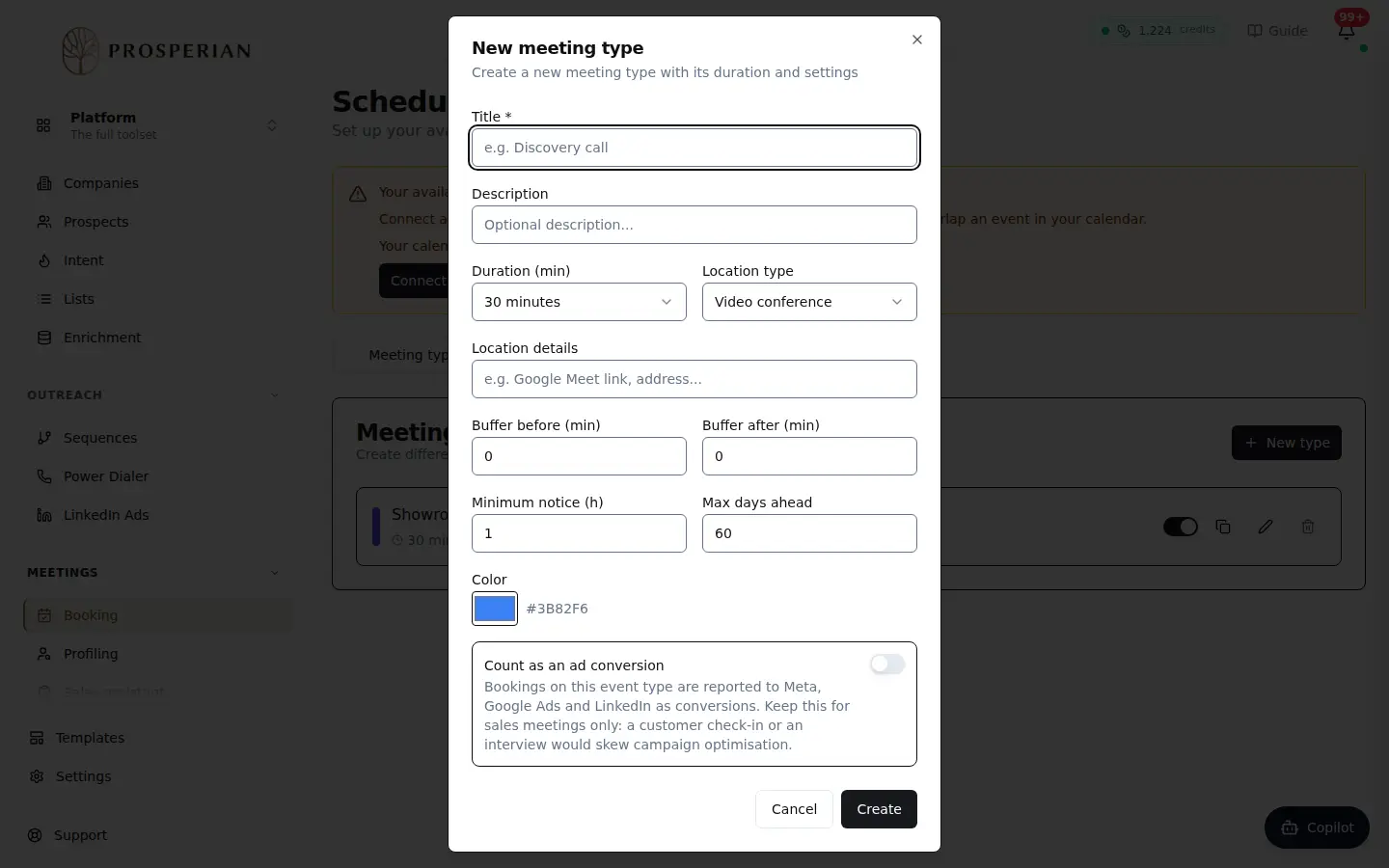
Open Meetings ▸ Booking. In the Meeting types tab, click New type.
Step 1 of 4
Demo, no action on your account
Expected result
Your prospects pick a free slot on your booking page. Booked meetings appear in the Bookings tab, with Upcoming meetings and History.