Work through your prospecting tasks
Sign in to try itWhat it's for
The calls, emails and LinkedIn messages to do by hand are gathered in a task list. You work through them in a row, one at a time.
Before you start
- Tasks to handle: a sequence with manual steps creates them for you. Create and launch a multichannel sequence
Steps
Open Tasks. If the screen shows the Today and All tasks tabs, click All tasks.
Filter the list with All statuses, All types or All assignees to keep only what you want to handle.
Click Start my tasks for today. Today's and overdue tasks open one at a time.
For each task, use the Quick actions (Email, Call, Write on LinkedIn), then click Complete and next, or Reschedule to move it.
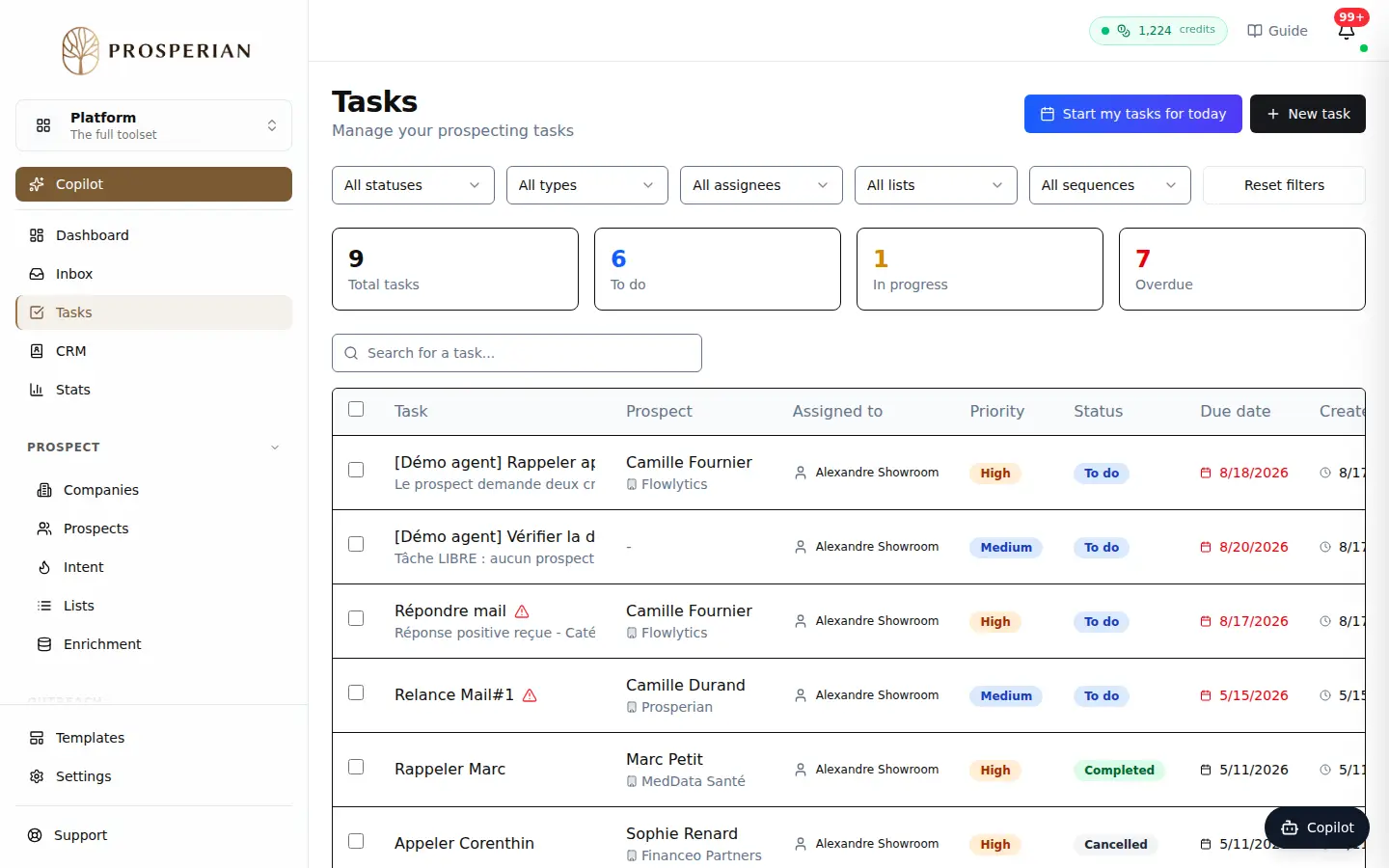
Open Tasks. If the screen shows the Today and All tasks tabs, click All tasks.
Step 1 of 4
Demo, no action on your account
Expected result
When everything is done, the screen shows "All your tasks are completed!". Completed tasks show the Completed status in the list.