Set up your agent
Sign in to try itWhat it's for
Tell the agent whom to prospect, on which channels and at what pace. The first setup happens in the getting-started assistant; you then adjust it in the agent settings.
Before you start
- A connected mailbox or LinkedIn account. Connect your accounts
- Available credits: each person the agent contacts uses some.
- The first time, follow the getting-started assistant: Open the assistant. It analyses your company domain, has you choose your goal, your target, your channels and the sequence intensity, then shows you the prospects and the first message.
Steps
In the Agent space, open Settings from the rail.
The switch at the top of the page sets the agent active or paused. When paused, it does nothing.
Further down, the switch I allow automated prospecting for my organization lets the agent send on your behalf. Only an administrator can turn it on.
From the Cockpit, the Agent settings button always brings you back here.
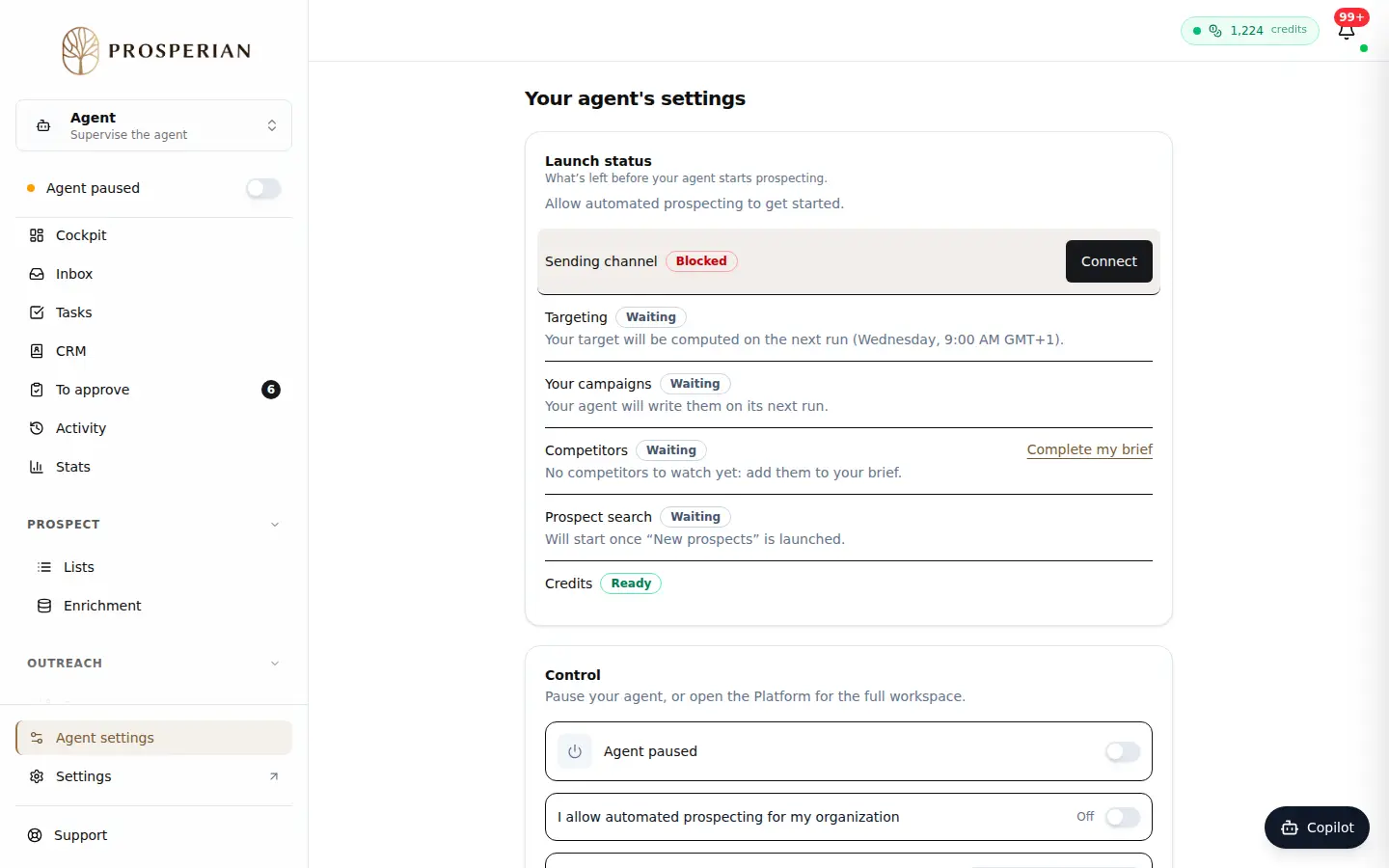
In the Agent space, open Settings from the rail.
Step 1 of 4
Demo, no action on your account
Expected result
The agent knows your target and channels. It prepares campaigns that you review before anything is sent.